Delivery by genre
Horror: quieter and slower, close to a whisper in the silences. Action: crisp, reading in the gaps between shots. Documentary: a warm narrator.
AI lektor for Windows
Every Lector listens, translates and reads your film back to you in your language. It runs on your PC. No upload, no per-minute bill.
Windows 10 or 11, 64-bit. 60 minutes free, no account.
Runs on your computer. Your videos never leave it.
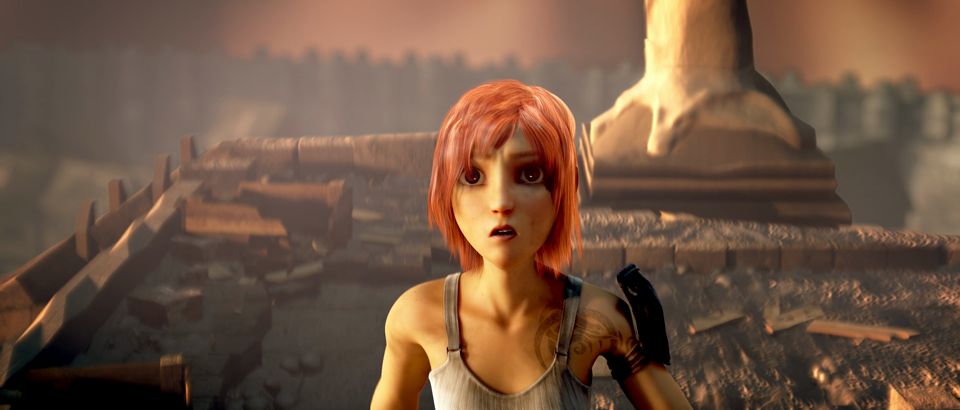
Illustration of the interface. Real demo recording coming soon.Frame: Sintel © Blender Foundation, CC BY 3.0
MKV, MP4, AVI, MOV. If ffmpeg can open it, so can Every Lector.
Subtitles only, a lektor reading over the original, or a full dub.
A new file appears next to the original. The AI voice is the default audio track and the original stays selectable.
Every Lector understands speech in 99 languages and writes subtitles in all of them. The AI voice speaks these 20:
Voice coming soon (subtitles already work):
Subtitle language and voice language are separate choices. Arabic is read in Modern Standard Arabic. Quality varies by language pair, and the app tells you when it does.
A horror film and a nature documentary should not sound the same. Every Lector reads the genre and mood first, then sets pace, pauses and loudness to match.
Horror: quieter and slower, close to a whisper in the silences. Action: crisp, reading in the gaps between shots. Documentary: a warm narrator.
Classic Polish lektor, Off-screen, Documentary, Modern. Pick one, or let the genre choose.
It softens on whispers and firms up on shouts, at a fraction of the actor's energy. A lektor is a referee, not a second actor.
A character's name is spelled the same in every line. Numbers, dates and prices are read the way a person says them.
Speech recognition with voice detection and word-level timing. Lines follow broadcast habits: two lines, 42 characters, a reading speed you can follow.
One calm voice reads the translation while the original dips underneath. The classic way to watch a foreign film, for any language you pick.
Each speaker gets a voice that matches the original. Use it on footage and voices you have the right to use.
ProPair a phone or TV with your PC by QR code on your home network. The PC does the work. The screen in your hand plays the result.
Apps for Android and TV are comingPoint it at a folder before bed. By morning every film has subtitles and a voice.
ProTwo subtitle lines at once, original and translation. Learn a language from the shows you already love.
ProLock how names, places and terms are spelled and said, so they stay the same from the first scene to the last.
Pro| Feature | Every Lector | Cloud dubbing | Free open-source tools |
|---|---|---|---|
| Where your video goes | Stays on your PC | Uploaded to a server | Stays on your PC |
| What it costs | 49 to 109 EUR, once | Billed per minute of video | Free |
| File size limits | Your disk | Upload caps | Your disk |
| Setup | One installer | Browser account | Python, drivers, config files |
| Works offline | Yes, after the first model download | No | Mostly |
| Subtitles and voice together | Yes, one pass | Voice mostly | Pieces you glue together |
Prices include VAT. One year of updates comes with every licence, and the version you have keeps working after that.
Everything switched on, for 60 minutes of video.
Free
Subtitles and AI lektor for your own library.
49 EURone-time
For people who dub, learn or batch a lot.
79 EURone-time
For creators who publish what they dub.
109 EURone-time
No, but it helps a lot. With a recent NVIDIA card a film takes a fraction of its running time. On CPU only, it works but slowly: think overnight for a feature film.
Yes. After the first run downloads the models, nothing needs the internet. Your video, audio and text stay on your PC.
Anything ffmpeg can read: MKV, MP4, AVI, MOV, WebM and more. Output is an MKV with the new voice first and the original kept, plus an MP4 copy for TVs and phones, plus an .srt file.
Use it on videos you own or have the right to process, like your own recordings, lectures, courses you bought and films you have licensed for personal use. Every Lector does not provide, download or unlock any video.
Studio covers commercial use of the outputs for your own content, such as your channel or your courses. Personal and Pro are for private use. The video you process must be yours to process in every plan.
Dubbing with actor voices is part of Pro and Studio, and it needs a voice you have the right to use. Generated speech carries an inaudible watermark that marks it as synthetic. Do not use it to imitate people without their consent.
Phones and TVs connect to your PC over your home network and play the finished video. The Android and Android TV apps are in progress. Until then the finished files play in any player.
Your version keeps working. A year of updates is included, and you can renew updates later at a reduced price.
Runs on your computer. Your videos never leave it.